LSSM.

GROUP / Business operations

Company & owner assistance

Bring everyday work into context, from team requests to the owner’s next decision.

CONNECTED ACROSS LSSM

Follow this work across the ecosystem.

Select an entry to explore its neighbours. Move between ownership, specifications, areas, products, data and infrastructure without leaving this page.

7 entries · 17 recorded relationships

Arrow keys navigate entries. Enter selects. Alt + arrows rearranges. F fits the view; Shift + F fits the selection. + and − zoom. Shift + F10 opens actions.

Company operations3Data & intelligence1Product & software delivery1Shared platforms & governance2Patio — Patio is LSSM’s specialized holding for shared data, infrastructure, transmission and streams. The central Patio brand organizes these responsibilities across every problem area; specialized brands provide focused interfaces into parts of that scope.PatioCompany & owner assistance — Bring everyday work into context, from team requests to the owner’s next decision.Company & ownerassistanceCompanyOS — A general company workspace and adaptable business foundation. Documents, conversations and prepared work come together around the team’s responsibilities, with sources and review visible.CompanyOSFellowhand — An owner-focused experience for priorities, preparation and next steps. A composed review queue brings attention, missing information and responsibility into one readable view.FellowhandContractSpec — ContractSpec powers the whole LSSM ecosystem through specifications, contracts and reusable capabilities. Its role applies across product families, brands and areas.ContractSpecLSSM OS — LSSM OS is the ecosystem operating layer. It composes and uses BrainOS context and intelligence, ContractSpec specifications and reusable capabilities, and Patio shared infrastructure and data beneath the products and experiences that run on it.LSSM OSBrainOS — BrainOS is the cross-ecosystem context and intelligence layer for personal, company and product knowledge. It connects the Company assistance family and the other products and areas while preserving the boundaries of each context.BrainOS
Accessible entry list (7)
  • Shared foundations
  • Work groups
  • Products & experiences
  • Products & experiences
  • Shared foundations
  • Shared foundations
  • Shared foundations

Projects & experiences

Ways into this work.

CompanyOSYour company’s AI assistant

Your company’s AI assistant

Your business.
Less on your shoulders.

Prepare replies, find the right document and pick up the follow-up you meant to send. CompanyOS helps with the work around the work, with your team in control.

Discuss your installationSee CompanyOS at work

Installed on your infrastructure. Configured with your team.

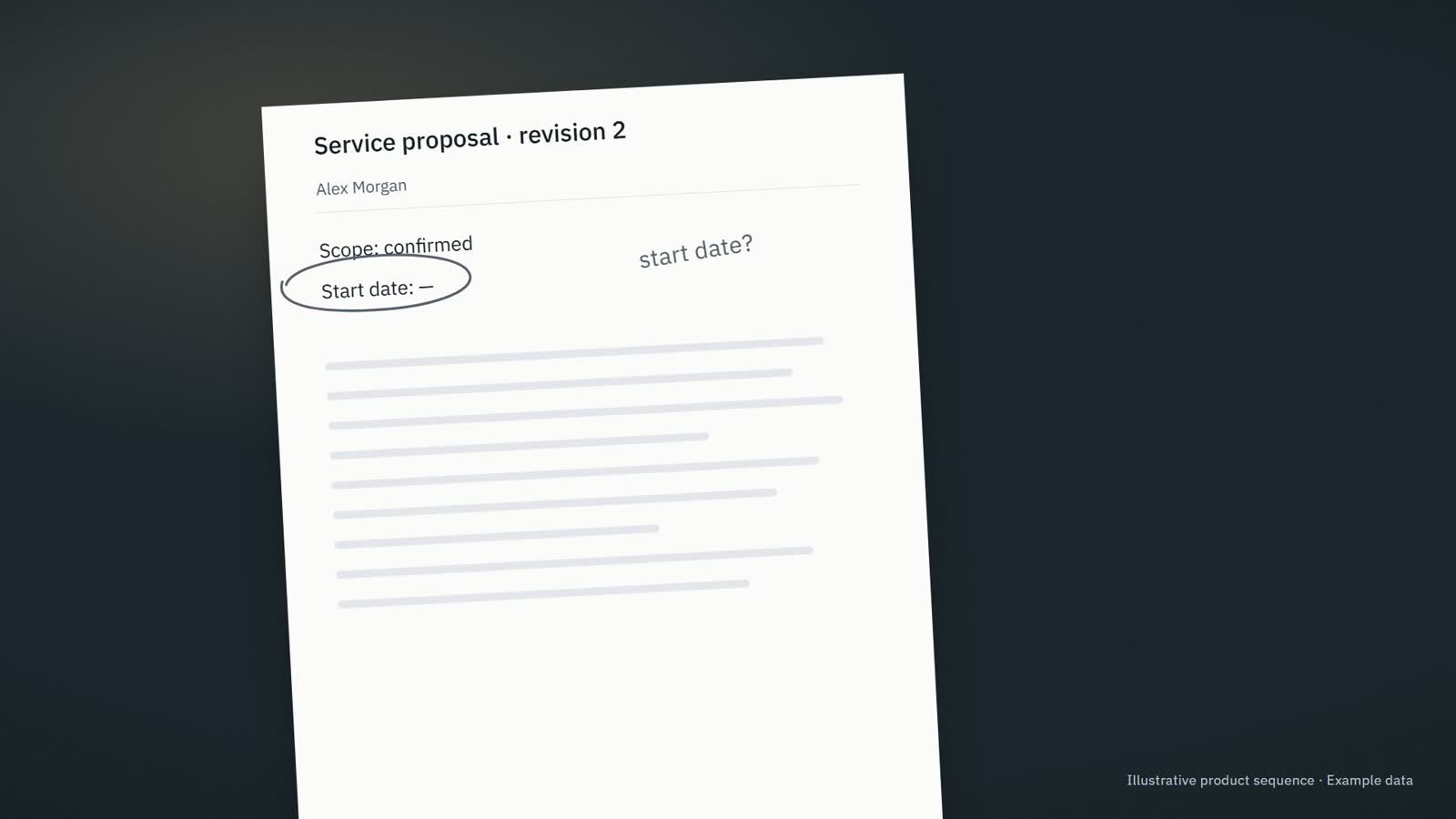
Source campaign still: a printed proposal on a desk with the start date left open

Pre-production frame · Example data

Prepared from this proposalService proposal · revision 2

Hi Alex, here is the updated proposal. The start date still needs confirmation. I will check with the team before confirming it.

Information needed · The start date has not been agreed.

Company assistanceExisting product direction

CompanyOS

Our team needs the relevant context and a clear next step for recurring work.

Bring company information into the work, prepare useful responses and make the next step and responsible person clear.

Who it fits & where to start

For Owners, operations leaders and small teams whose recurring work is spread across messages, documents, meetings and business tools.

A useful first step Review what needs attention, what is ready and who owns the next step.

Explore CompanyOS
FellowhandFor owners and executives

For owners and executives

Lead the business.
Not every follow-up.

The current proposal. The unanswered question. The reply you still owe. Fellowhand gets the context and the next draft ready, so you can focus on the decisions that need you.

Discuss your assistantSee meeting preparation
Source owners campaign photograph of the current service proposal

Pre-production frame · Example data

Meeting preparationClient meeting · 10:30Example data
Current sourceService proposal · revision 2
?

Information needed · The start date has not been agreed.

✓Saved · Next step: Confirm the proposed start date with the project lead.

Company assistanceBrand direction

Fellowhand

I need to review the prepared work and keep the business moving.

Prepare useful business work from company context so the owner can review it and move it forward.

fellowhand.com
Who it fits & where to start

For Owners and executives in small service businesses whose teams repeatedly need context, prepared replies, meeting preparation and clear responsibility.

A useful first step Review one prepared reply or brief and choose the next action.
Explore Fellowhand

Other groups in Business operations.

Your view

Make room for your context.

Shape the presentation around this moment. You can change it whenever you need.

Your context

The different parts of you

Choose a starting point

A useful mix of context, visuals and gentle guidance.

Tune each dimension
Each dimension can change independently. Product permissions and available actions stay unchanged.

Support the way you begin and return

Tune your support

Reading comfort

Choose your language

Interface language changes text only. Markets, prices and workflows keep their own settings.

Translation coverage

Original source

Navigation151
Graph616
Categories378
Portfolio833
Examples2,035
Source preview1,542

More translations will be added as content is reviewed.

This preference is saved on this browser.

Search the website

Useful starting points

No results. Try a shorter phrase, an operation name or another search area.

A LITTLE ROOM TO EXPLORE

Find something to explore.

Open a closer look on this page, try a different perspective, or follow the detail into its own page.

How previews and controls work
01

Look before you leave

Hover a link or focus it with Tab to see a preview. Clicking the original link or pressing Enter always opens its destination.

02

Stay with the context

Move into the preview to explore its sections. Use Alt + ↓ from a focused link to enter it with the keyboard. Escape closes it.

03

Open the possibilities

Disclosure rows, perspective choices and highlighted controls reveal more. Your view changes reading comfort and the context you explore.

A separate button for a closer look

Show small preview buttons beside links where there is room. Tap the eye to inspect, or tap the link to go straight there. This choice stays in this tab.

No browsing history is collected. Reduced motion follows your device and Your view.