Life & work Across the website family · Useful context · Change it whenever you need.
Find a useful starting point ↗ Change your view Undo
LSSM / Areas / Business operations
Move everyday business work forward The same underlying work looks different to a business owner, an adviser, a field tradesperson and a maker. A generic workspace makes each of them do too much translation.
Company & owner assistance ↗ Expert, trade & craft workflows ↗ Missions & external collaborators ↗ Communication & market learning ↗ Product work & delivery ↗ Conversations & correspondence ↗ Billing, finance & measurement ↗
WHAT MAKES IT DIFFICULT 01 Finding the relevant information and respecting who may use it.
02 Distinguishing a prepared reply or brief from an approved action.
03 Keeping missing information, responsibility and the next step visible.
04 Using the vocabulary and navigation of the actual business.
THE USEFUL OUTCOME
Bring one request, reply, mission or order to a clear next step with the right person in control. Choose the kind of support that fits your situation. The same product may also help in a neighbouring area.
View Products & projects Capabilities Architecture Full graph Layout Network Layers Clusters Find an entry in this view Fit view Display & filters Arrange
25 entries · 155 recorded relationships
Neighborhood depth 1 2 Close context × Return to this page
Arrow keys navigate entries. Enter selects. Alt + arrows rearranges. F fits the view; Shift + F fits the selection. + and − zoom. Shift + F10 opens actions.
Work & careers 2 Company operations 5 Marketing & creators 3 Communication & channels 7 Finance & commerce 3 Data & intelligence 1 Product & software delivery 2 Shared platforms & governance 2 Patio — Patio is LSSM’s specialized holding for shared data, infrastructure, transmission and streams. The central Patio brand organizes these responsibilities across every problem area; specialized brands provide focused interfaces into parts of that scope. Patio Business operations — The same underlying work looks different to a business owner, an adviser, a field tradesperson and a maker. A generic workspace makes each of them do too much translation. Business operations CompanyOS — A general company workspace and adaptable business foundation. Documents, conversations and prepared work come together around the team’s responsibilities, with sources and review visible. C CompanyOS Fellowhand — An owner-focused experience for priorities, preparation and next steps. A composed review queue brings attention, missing information and responsibility into one readable view. F Fellowhand Briefhand — A precise mission workspace that keeps the mandate, supporting material, decisions and next commitments together. Its vocabulary and compact document hierarchy fit expert client work. B Briefhand ArtisanOS — Demandes clients, devis, commandes et documents : gardez le fil de votre activité avec une aide adaptée à votre façon de travailler. Les profils terrain et atelier gardent chacun leurs mots et leur navigation. A ArtisanOS Fairelio — Fairelio brings people and organisations around useful work: scoped missions, clear commitments, learning and contribution. Make the need, the terms and the next decision concrete. F Fairelio Tellshift — Turn project knowledge into campaign drafts and outreach that the people behind the work can review and approve. T Tellshift GTM Learning Loop — Use campaign, conversation and deal evidence to refine an ICP, inspect a small cohort and prepare a reviewed message experiment. GL GTM Learning Loop hCircle — A project for human relationships and shared communities, with attention to consent, context and the practical work of living together. H hCircle Taketide — Taketide is the UGC platform for creators and brands: a clear brief, a suitable collaboration and content worth sharing. Its marketing and app experiences support creator discovery, campaign work and review. T Taketide ContractSpec Studio — A review-first product decision and delivery workspace. ContractSpec Studio connects meetings and product signals to briefs, priorities, issues and approved handoffs, with the evidence and review history kept close to the work. CS ContractSpec Studio BillingOS — Country-neutral billing contracts and reusable workspaces for quotes, invoices, credit notes, payments and reconciliation. Optional France-specific readiness and provider adapters sit around the core, while CompanyOS supplies operator review composition. B BillingOS FinanceOS — A finance operations platform for budgets, commitments, cashflow, multi-entity ledgers, consolidation, planning and close. BillingOS owns commercial quote-to-cash; FinanceOS owns the financial acceptance and planning boundary. The source also contains a deterministic Finance Ops workflow template. F FinanceOS Usage & metering — Shared metering records feature and operation usage with allocation dimensions, exact quantities, idempotency and superseding corrections. PostHog metering and company-metrics adapters provide related reads; business aggregates remain distinct from the usage evidence that BillingOS rates. UM Usage & metering CommunicationOS — A reusable communication application kit with inbox, spaces, rooms, official channel connections, search, meetings, governed work and forms. The same canonical route and authority model supports standalone and embedded hosts. C CommunicationOS MailPatio — Give each person, project or process a place for the email that belongs there. Define what your application may read, draft and send while keeping personal correspondence separate. M MailPatio Sarla — Sarla connects candidates and employers through relevant, human-reviewed introductions. Its candidate, employer and operator workspaces bring role clarification, career context, evidence-aware matching and explicit approval before anything is shared. S Sarla PhonePatio — Bring calls and carrier messages into the right workflow. PhonePatio is a proposed service for dedicated numbers, application access and accountable routing. PhonePatio LetterPatio — Connect document preparation, review and postal dispatch in one workflow. LetterPatio is a proposed service for correspondence that needs to leave the screen. LetterPatio SocialPatio — Connect account authority, publishing and conversation to the work behind them. SocialPatio is a proposed infrastructure layer for products that operate across social channels. SocialPatio VoicePatio — Connect transcription, spoken responses and conversation turns to your application. VoicePatio is a proposed service for voice experiences with explicit recording and action permissions. VoicePatio ContractSpec — ContractSpec powers the whole LSSM ecosystem through specifications, contracts and reusable capabilities. Its role applies across product families, brands and areas. ContractSpec LSSM OS — LSSM OS is the ecosystem operating layer. It composes and uses BrainOS context and intelligence, ContractSpec specifications and reusable capabilities, and Patio shared infrastructure and data beneath the products and experiences that run on it. LSSM OS BrainOS — BrainOS is the cross-ecosystem context and intelligence layer for personal, company and product knowledge. It connects the Company assistance family and the other products and areas while preserving the boundaries of each context. BrainOS − 100% +
Drag to pan · Ctrl/⌘ + scroll to zoom
Move map Problem areas ×
Business operations The same underlying work looks different to a business owner, an adviser, a field tradesperson and a maker. A generic workspace makes each of them do too much translation.
area:business-operationsA recorded relationship does not grant data access.
recorded relationships 4 Search relationships ← BrainOS
Context & intelligence from
Declared architecture Evidence foundation:foundation:brainos>area:business-operationsfoundation
Direction: foundation:brainos → area:business-operations
user-foundations-2026-10-28 ← ContractSpec
Powered by
Declared architecture Evidence foundation:foundation:contractspec>area:business-operationsfoundation
Direction: foundation:contractspec → area:business-operations
user-foundations-2026-10-28 ← LSSM OS
Operating infrastructure from
Declared architecture Evidence foundation:foundation:lssm-os>area:business-operationsfoundation
Direction: foundation:lssm-os → area:business-operations
user-foundations-2026-10-28 ← Patio
Shared infrastructure & data from
Declared architecture Evidence foundation:family:patio>area:business-operationsfoundation
Direction: family:patio → area:business-operations
Runtime import not verified
user-patio-holding-remit-2026-10-29 Accessible entry list (25) Patio Shared foundations Business operations Problem areas CompanyOS Products & experiences Fellowhand Products & experiences Briefhand Products & experiences ArtisanOS Products & experiences Fairelio Products & experiences Tellshift Products & experiences GTM Learning Loop Products & experiences hCircle Products & experiences Taketide Products & experiences ContractSpec Studio Products & experiences BillingOS Products & experiences FinanceOS Products & experiences Usage & metering Products & experiences CommunicationOS Products & experiences MailPatio Products & experiences Sarla Products & experiences PhonePatio Products & experiences LetterPatio Products & experiences SocialPatio Products & experiences VoicePatio Products & experiences ContractSpec Shared foundations LSSM OS Shared foundations BrainOS Shared foundations CompanyOS Your company’s AI assistant
Your company’s AI assistant
Your business. Prepare replies, find the right document and pick up the follow-up you meant to send. CompanyOS helps with the work around the work, with your team in control.
Discuss your installation See CompanyOS at work
Installed on your infrastructure. Configured with your team.
Pre-production frame · Example data
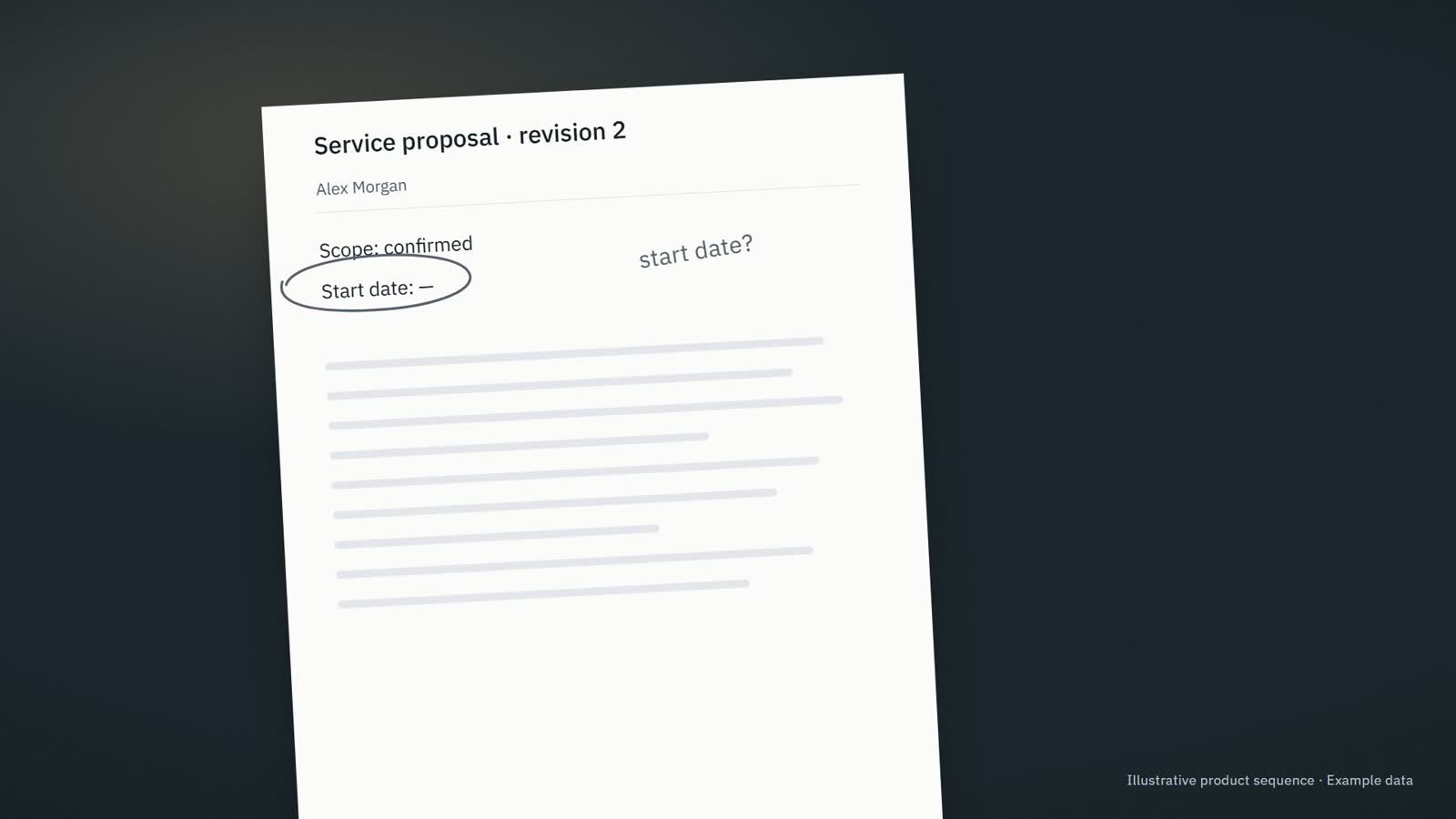
Prepared from this proposal Service proposal · revision 2 Hi Alex, here is the updated proposal. The start date still needs confirmation. I will check with the team before confirming it.
Information needed · The start date has not been agreed.
Company assistance Existing product direction
Our team needs the relevant context and a clear next step for recurring work.
Bring company information into the work, prepare useful responses and make the next step and responsible person clear.
Business operations Founder decisions & capacity Who it fits & where to start + For Owners, operations leaders and small teams whose recurring work is spread across messages, documents, meetings and business tools.
A useful first step Review what needs attention, what is ready and who owns the next step.
Explore CompanyOS ↗ Fellowhand For owners and executives
For owners and executives
Lead the business. The current proposal. The unanswered question. The reply you still owe. Fellowhand gets the context and the next draft ready, so you can focus on the decisions that need you.
Discuss your assistant See meeting preparation
Pre-production frame · Example data
Meeting preparation Client meeting · 10:30 Example data
Current source Service proposal · revision 2
? Information needed · The start date has not been agreed.
✓ Saved · Next step: Confirm the proposed start date with the project lead.
Company assistance Brand direction
I need to review the prepared work and keep the business moving.
Prepare useful business work from company context so the owner can review it and move it forward.
Business operations Founder decisions & capacity fellowhand.com ↗ Who it fits & where to start + For Owners and executives in small service businesses whose teams repeatedly need context, prepared replies, meeting preparation and clear responsibility.
A useful first step Review one prepared reply or brief and choose the next action.
Explore Fellowhand ↗ Briefhand CompanyOS · marketing contract
Expert Network Mission Control Run expert-led missions without making the founder the operating system. CompanyOS gives expert-led service firms a governed mission loop: intake, expert staffing, decision packets, weekly command cycles, human approvals, and evidence.
Run a workflow fit audit
Client quality scales only as far as the founder can coordinate. Mission knowledge lives in founder memory while experts work across email, spreadsheets, WhatsApp, calls, and documents. The founder keeps collecting, relaunching, consolidating, and interpreting.
Company assistance Brand direction
I need to turn scattered client context into a brief and a useful decision.
Build an evidence-backed mission brief, decision packet and clear record of responsibilities and commitments.
Business operations Knowledge & growth briefhand.app ↗ Who it fits & where to start + For Independent experts, fractional CFOs or COOs, operating partners, expert networks and small consulting teams delivering defined client missions.
A useful first step Set the mandate and gather the evidence for the first brief.
Explore Briefhand ↗ ArtisanOS For trades and small construction teams
For trades and small construction teams
The job is done. Replies to prepare. Job details to collect. Quotes to follow up. ArtisanOS helps keep the admin moving, while prices, dates and decisions stay with you.
Discuss your incoming requests See a job inquiry handled
We set it up with you and agree who looks after it.
Job inquiry Awaiting information
What arrived · Sam Wilson Hello, we are planning some renovation work. Could we discuss what you would need to prepare a quote?
Information needed ⌖ Site address
▧ Photos of the areas concerned
Draft for review Hi Sam, could you send the site address and a few photos of the areas concerned? That will help us understand the request before discussing the next step.
Not sent. Waiting for your review.
Review reply Save next step
Product illustration · Example data
Company assistance Existing product direction
Une demande client attend une réponse, un devis ou une commande à préparer.
Move one customer request forward with the right information, a prepared response and a clear next step.
Business operations Who it fits & where to start + For Independent tradespeople, small field-service businesses, craftspeople and maker-retailers whose work happens on sites, in workshops or behind a shop counter.
A useful first step Rassembler les informations manquantes et préparer la réponse au client.
Explore ArtisanOS ↗ Fairelio ↗
A mission on the table 01 / P
Fictional example · not an offer
Make a booking flow easier to use.
Useful result Find where a first-time visitor gets stuck.
Deliverable A short issue list with screenshots and reproduction steps.
Outside scope No production access. No code changes.
Proposed terms To be agreed before participation. No payment is happening here. Scope → people → work → review ↗
+ Keep the contribution accurate. What you did, what was reviewed, what you choose to share.
Taketide creator studio · landing excerpt
Independent project Portfolio project
A brand and a creator need a clear brief and a workable collaboration.
Bring creators and brands around a clear brief.
Business operations Knowledge & growth taketide.app ↗ Who it fits & where to start + For Creators and brands organizing user-generated-content collaborations.
A useful first step Agree a campaign brief and the collaboration it requires.
Explore Taketide ↗ Tech & sales recruiting · France
The right introduction.And what comes next. Sarla brings together startups and people who have good reasons to work together.
Two ambitions One meeting point ↙
&
What comes next takes two. Sarla · source landing-page composition
Product / platform Existing product · current address confirmed by owner
A company and candidate need a relevant introduction with clear evidence, shared interest and control over what is disclosed.
A human-reviewed, candidate-approved introduction tied to a specific role.
Work & career Business operations sarla.app ↗ Who it fits & where to start + For France-first startups hiring tech and sales roles, candidates considering their next role, and recruiting operators reviewing introductions.
A useful first step A human-reviewed, candidate-approved introduction tied to a specific role.
Explore Sarla ↗ Try the workspace
Prepare the presence of a whole ecosystem. Choose a person or company, then a destination. Inspect the context, edit the profile and keep a version.
Preview edits are not transferred to the full studio. Imported files remain on this device.
Example workspaces contain fictional projects and results. Changes stay in this browser; no account is connected and nothing is published.
The workspace interface is currently in English. Content can be prepared in English or French.
Start in the full studio↗ Also explore an illustrated campaign⌄ From project to content
One project. More than one way to explain it. The message and format change with the people you want to reach. Choose the channels that serve your goal.
Choose a format From the same project experience
Explore the content↗ LinkedIn post Reading an order correctly isn’t the same as processing it reliably.
A correct extraction can still point to the wrong item. Check reading and matching separately.
Fictional example · Short preview; the full format is in the explorer.
Fictional example. No content is published.
Explore the full example+ Fictional example · A consultancy uses what it learned from a project involving customer orders to prepare a campaign.
Content Account plan Results
ContributorFounder Technical lead Delivery lead FormatLinkedIn post X thread Instagram carousel Email outreach
Showing Technical lead · LinkedIn post.
What the expert says · Technical lead
“ The model read the order correctly. It matched the wrong catalog item .
Read the full passage The model read the order correctly. It matched the wrong catalog item. We added review for uncertain matches. Reading the document and choosing the correct reference were separate steps in this project.
Fictional remarks, created for this example.
Reading an order correctly isn’t the same as processing it reliably .
Extraction is the first step. Matching the right item comes next.
When the match is uncertain, someone needs to review it. Decide who owns that review before launch.
Read the complete example Sources, full drafts, account scenarios, and results are available in this reading view. Open the part you want to inspect.
Fictional consultancy, sources, account, and activity. This example publishes nothing and sends no messages.
Sources and channel formats Founder The customer wanted to keep the ERP. Their concern was who would check the orders that needed review. We discussed that responsibility before agreeing on the automation scope. The buying decision included a decision about how the team would work.
Fictional remarks, created for this example.
LinkedIn post Before automating orders, decide who owns the exceptions .
An automation project also changes how people work.
When an order needs review, who takes it? What information do they need? What happens while it waits?
Make those decisions part of the buying conversation.
X thread F
Founder @your_handle · Draft A customer wanted to keep their ERP. The buying question that mattered was concrete: who would check the orders that still needed a person?
F
Founder @your_handle · Draft We discussed review ownership before agreeing the automation scope. A technology decision also needed a decision about how the team would work.
F
Founder @your_handle · Draft Buying order automation? Ask who takes the order when it needs review, what they need to act, and what happens while it waits. Bring that person into the conversation.
Draft title for review: The question before the software
Instagram carousel Order automation
Before you automate, assign the review. Who checks? With what information? What happens while it waits?
Use a typographic cover with the title as the dominant element, the short body below, and the source-margin rule. Keep the illustration label outside the exported specimen.
01 / Context
Keep the existing ERP. The customer’s question was who would check orders that needed review.
Set the existing ERP and the ownership question on separate lines. Use an open rule to connect them.
02 / Responsibility
Name the person who checks. Discuss that responsibility before agreeing the automation scope.
Set responsibility first in the reading order. Follow it with the automation scope in smaller type.
03 / Decision
Ask how the review works. Who checks? With what information? What happens while the order waits?
Use three aligned questions with ample space. Do not draw checked boxes that imply answers already exist.
04 / Next step
Bring the reviewer into the discussion. Agree how the team will work before settling the scope.
Close with the instruction in large type and the scope sentence below. Repeat the source-margin rule.
Founder The useful buying question in this example concerned team responsibility. Discuss how review will work while you define what to automate.
Email outreach A question about the new warehouse
I saw the announcement about your second warehouse. How will your team handle orders that need a person to check them?
We work on order intake around existing ERPs. Happy to compare approaches if this is part of the rollout.
Fictional recipient context
The target company has announced a second warehouse. Whether it needs help with order handling remains a question.
Technical lead The model read the order correctly. It matched the wrong catalog item. We added review for uncertain matches. Reading the document and choosing the correct reference were separate steps in this project.
Fictional remarks, created for this example.
LinkedIn post Reading an order correctly isn’t the same as processing it reliably .
Extraction is the first step. Matching the right item comes next.
When the match is uncertain, someone needs to review it. Decide who owns that review before launch.
X thread T
Technical lead @your_handle · Draft The model read the order correctly. It chose the wrong catalog item . In that project, reading the document and choosing a reference were separate steps.
T
Technical lead @your_handle · Draft We added human review when the product match was uncertain. An accurate transcription did not remove the need to check what the system selected.
T
Technical lead @your_handle · Draft When testing order intake, ask two questions: did we read the order correctly, and did we select the right catalog item? Evaluate the two steps separately.
Draft title for review: Correct reading. Wrong reference.
Instagram carousel Order automation
Read correctly. Matched incorrectly. Two steps. Two different checks.
Use a typographic cover with the title as the dominant element, the short body below, and the source-margin rule. Keep the illustration label outside the exported specimen.
01 / Read
Read the order. Extract the reference, quantity, and description.
Use the heading above three typographic fields: reference, quantity, description. Reuse body words rather than inventing an order number or customer record.
02 / Match
Choose the catalog item. The words can be right while the item is wrong.
Give reading and matching equal typographic weight, joined by a fine rule. Highlight the wrong item in vermilion; do not add accuracy figures.
03 / Review
Route uncertain matches. Decide who checks them and what happens while they wait.
Frame the uncertainty with a source-margin bracket. Show a review instruction, without a fake application screenshot or success badge.
04 / Test
Check both steps. Was the order read correctly? Was the right item selected?
Place the two questions on distinct lines beneath the heading. Keep them as questions, without ticks or invented test results.
Technical lead A readable order is only one part of reliable processing. This example separates document extraction from catalog matching and keeps uncertain matches under review.
Email outreach Product matching across locations
I saw the announcement about your second warehouse. Are product references matched against one shared catalog , or handled separately at each location?
We work on order intake and catalog matching around existing ERPs. Happy to share how we approach uncertain matches if that is relevant.
Fictional recipient context
The target company has announced a second warehouse. Whether it needs help with order handling remains a question.
Delivery lead An order flagged for review only moved when somebody knew they owned it. We defined who checks it and what happens while it waits. We also agreed how ownership passes to the next shift. The review step needed a practical handover.
Fictional remarks, created for this example.
LinkedIn post An exception queue needs an owner .
Adding a review step is only part of the work.
The team also needs to know who checks the order, what they should do, and how to hand it over when a shift ends.
Make the handover visible before you add more automation.
X thread D
Delivery lead @your_handle · Draft An order could be flagged for review and still go nowhere. In this project, it moved only when someone knew they were responsible .
D
Delivery lead @your_handle · Draft We defined who checks the order, what happens while it waits, and how ownership passes to the next shift. The handover was part of the review step.
D
Delivery lead @your_handle · Draft Before adding another review step, walk one order through it: who picks it up, what do they do, and who takes over when the shift ends?
Draft title for review: A review flag needs a next owner
Instagram carousel Order automation
An order is waiting. Who owns it? Make the handover part of the workflow.
Use a typographic cover with the title as the dominant element, the short body below, and the source-margin rule. Keep the illustration label outside the exported specimen.
01 / Ownership
Name the next owner. A flagged order only moved when somebody knew they owned it.
Use the source sentence as a large editorial quotation. Do not add invented queue sizes or waiting times.
02 / Waiting
Define what happens while it waits. Make the reviewer and the next action explicit.
Set reviewer and next action as two short typographic rows separated by a rule.
03 / Handover
The shift ends. The order stays. Agree how responsibility passes to the next team.
Use two open text areas for the current and next team. Connect them with a thin rule, without adding a new source claim.
04 / Walkthrough
Follow one order through review. Can the team name the owner at each handover?
Close with the walkthrough instruction and its question. Repeat the contributor’s role without a fabricated portrait or customer logo.
Delivery lead The review step needed a practical handover. This example shows why assigning responsibility and agreeing the next shift’s role belong in the workflow.
Email outreach Who handles order exceptions?
With the second warehouse opening, will order exceptions be handled by a shared team or locally at each site?
We help teams make that review and handover explicit when connecting incoming orders to an ERP. Happy to compare workflows if you are working through this.
Fictional recipient context
The target company has announced a second warehouse. Whether it needs help with order handling remains a question.
Account plan and responses Fictional account, people and activity. Changing this example sends no messages.
Awaiting response A distributor has announced a second warehouse. Its order-handling needs have not been confirmed.
Conversation owner: Consultancy founder
Example day 1 Sent · Example
Channel: Email
Sending identity: FounderRecipient: Operations lead
Ask how uncertain orders will be reviewed during the warehouse rollout.
Example day 4 Scheduled · Example
Channel: LinkedIn · Manual task
Sending identity: FounderRecipient: Operations lead
Review whether a relevant, appropriate LinkedIn follow-up would add anything useful.
Example day 7 Owner review required
Channel: Email
Sending identity: Technical leadRecipient: Technical / IT lead
Review whether to involve a technical contact, using the catalog-matching example.
The timing illustrates a plan; it is not a recommended universal cadence.
This is an illustrative plan. The LinkedIn step is a task for a person; no platform connection or automated message is demonstrated.
A contact replies A distributor has announced a second warehouse. Its order-handling needs have not been confirmed.
Conversation owner: Consultancy founder
Reply received · Example
Could you explain how you handle uncertain catalog matches? The account owner takes over the conversation. Both pending steps are paused, including the introduction to the technical colleague. A reply does not start a new sequence or resume any step.
Example day 1 Reply received · Example
Channel: Email
Sending identity: FounderRecipient: Operations lead
Ask how uncertain orders will be reviewed during the warehouse rollout.
Example day 4 Paused for the conversation
Channel: LinkedIn · Manual task
Sending identity: FounderRecipient: Operations lead
Review whether a relevant, appropriate LinkedIn follow-up would add anything useful.
Example day 7 Paused for the conversation
Channel: Email
Sending identity: Technical leadRecipient: Technical / IT lead
Review whether to involve a technical contact, using the catalog-matching example.
The timing illustrates a plan; it is not a recommended universal cadence.
This is an illustrative plan. The LinkedIn step is a task for a person; no platform connection or automated message is demonstrated.
The company asks to stop A distributor has announced a second warehouse. Its order-handling needs have not been confirmed.
Conversation owner: Consultancy founder
Company-wide stop request · Example
Please stop contacting our company about this offer. Both pending steps stop. The restriction for this account and offer remains in place; a new contact does not bypass it.
Example day 1 Company-wide stop request · Example
Channel: Email
Sending identity: FounderRecipient: Operations lead
Ask how uncertain orders will be reviewed during the warehouse rollout.
Channel: LinkedIn · Manual task
Sending identity: FounderRecipient: Operations lead
Review whether a relevant, appropriate LinkedIn follow-up would add anything useful.
Channel: Email
Sending identity: Technical leadRecipient: Technical / IT lead
Review whether to involve a technical contact, using the catalog-matching example.
The timing illustrates a plan; it is not a recommended universal cadence.
This is an illustrative plan. The LinkedIn step is a task for a person; no platform connection or automated message is demonstrated.
Observations and the next draft All figures, comments and activity below are fictional examples, not customer results.
Back to the observations LinkedIn · Technical contributor · First 72 hours · Illustrative snapshot
Impressions 1,200
Reactions 24
Comments 4 Illustrative aggregate counts. Comments are not unique people; reactions do not identify buyers or establish buying intent.
One example audience question
How do you hand a flagged order over when the next shift starts? Observed response The displayed question asks how responsibility passes to the next shift. It gives the team a specific topic to examine.
Hypothesis to test A practical handover example may answer this reader’s question. The team can review a draft before deciding whether to test that angle.
Next draft for review Use the delivery contributor’s source to prepare a handover example. Review it before any publication, then decide what response to observe.
These observations suggest a next test. They do not establish buying intent or prove a sales effect.
Inspect the next draft LinkedIn · Technical contributor · First 72 hours · Illustrative snapshot
Next draft for review · For editorial review
Who owns the handover?
An order waiting for review needs a named owner.
Make three things clear: who checks it, what happens while it waits, and how responsibility passes to the next shift.
The handover is part of the workflow you are designing.
Source for the proposed draft
An order flagged for review only moved when somebody knew they owned it. Read the full passage An order flagged for review only moved when somebody knew they owned it. We defined who checks it and what happens while it waits. We also agreed how ownership passes to the next shift. The review step needed a practical handover.
Fictional remarks, created for this example.
One example audience question
How do you hand a flagged order over when the next shift starts? Observed response The displayed question asks how responsibility passes to the next shift. It gives the team a specific topic to examine.
Hypothesis to test A practical handover example may answer this reader’s question. The team can review a draft before deciding whether to test that angle.
These observations suggest a next test. They do not establish buying intent or prove a sales effect.
Example: data unavailable LinkedIn · Technical contributor · First 72 hours · Illustrative snapshot
Impressions Not available
Reactions Not available
Comments Not available Illustrative aggregate counts. Comments are not unique people; reactions do not identify buyers or establish buying intent.
Results have not been collected for this example. Add observed results and responses before making a recommendation from them.
Independent project Portfolio project
Our delivery work contains useful expertise that we struggle to communicate.
Make your team’s expertise useful beyond the project.
Business operations Knowledge & growth Who it fits & where to start + For Specialist consultancies and expert teams with valuable work to explain.
A useful first step Start with one real project, one expert and one offer.
Explore Tellshift ↗ GTM Learning Loop CompanyOS · marketing contract
A CompanyOS workflow GTM Learning Loop Turn GTM evidence into sharper ICP hypotheses, reviewed experiments, approved messages, and better next iterations.
Explore GTM Learning Loop
GTM Learning Loop GTM Learning Loop learns from campaigns, replies, sales calls, objections, and deal outcomes to sharpen your ICP, improve your messages, recommend proof assets, and create approved next actions.
PRODUCT DIRECTION Concept schematic
SocialPatioPublish. Engage. Understand. Social channel work with explicit identities and platform permissions.
↗ THE PLANNED ENTRY POINT An authorised social account
↗ Publish Posts, media & schedules
≡ Engage Comments & permitted replies
⌘ Understand Listening, signals & measures
Concept schematic · service implementation and provider setup to establish.
Infrastructure product / Patio Product concept · implementation and public destination to establish
A proposed service boundary for social accounts, publishing, comments, permission-dependent direct messages and evidence-aware listening. Shared source building blocks exist; the branded service remains to establish.
Social channels with clear permissions
Adaptable software Business operations Knowledge & growth Who it fits & where to start + For Product builders, platform teams and operators who need explicit channel identity, permissions and delivery evidence.
A useful first step Choose a channel purpose, then define identity, consent, authority and the required delivery evidence.
Explore SocialPatio ↗ Meeting-to-Execution
Turn meetings and product signals into approved work Start with one meeting or product signal. Review the work, approve the handoff, and export it into the tools your team already uses.
Source stays attached Review stays visible Keep your stack
Marketing component excerpt
Independent project Existing source · revival requested
We need to turn meetings, feedback and product evidence into a decision and an approved handoff.
Review a product brief, plan the work, approve the handoff and keep the outcome check connected.
Product & delivery Adaptable software Business operations Knowledge & growth Who it fits & where to start + For Product owners, product managers, product teams, operators and agencies turning signals into reviewed work.
A useful first step Bring a meeting or product signal into a reviewable brief and make the next decision explicit.
Explore ContractSpec Studio ↗ CommunicationOS Calm Signal
ACTIVE ROOM
Leadership A persisted message
11 Aug 2026, 08:00 UTC Open conversation CommunicationInbox component · source test fixture · hCircle is a product projection of this platform
Product / platform Inspected standalone app and reusable bundle source; no new live verification
Conversations and channels need one clear workspace with explicit boundaries.
Move between authorized conversations, shared rooms and communication work without losing context.
Business operations Contribution & community Adaptable software Who it fits & where to start + For People, community hosts, operations teams and builders composing communication experiences.
A useful first step Move between authorized conversations, shared rooms and communication work without losing context.
Explore CommunicationOS ↗ Shared home · community The community that keeps your shared home running. Weekly 3-tap Pulse, incident hygiene, and optional reimbursements. One House Health score that prevents drama.
No pooled wallet. Bank-to-bank or mark-as-paid. Privacy first.
Create your house
Choose pathStudents Roommates Foreigners Flat owners Operators
I’m an operator → Pilot 10 houses Join a house
Weekly Pulse Stay aligned on cleanliness, noise and vibe.
Cleanliness Get worse No change Improving
Noise Get worse No change Improving
Vibe Get worse No change Improving
Submit Tap to rate and leave a note.
Incident Hygiene Open: Shower leak
Nudge: Take out trash
House Health
House Health: 82 · Example
Independent project Portfolio project
Our community needs a clearer way to connect and coordinate shared responsibilities.
Make everyday connection and coordination easier.
Contribution & community Business operations Who it fits & where to start + For People, residents and community hosts coordinating shared life.
A useful first step Identify what needs attention and how people choose to participate.
Explore hCircle ↗
Inside MailPatio. Choose a topic or browse every data resource, capability and integration. Open an item to see what connects to it.
52items
Explore by topic Every topic52 Mailboxes & identities 8 3 Data 2 Capabilities 3 Integrations Messages & threads 16 5 Data 6 Capabilities 5 Integrations Attachments & originals 8 3 Data 3 Capabilities 2 Integrations Folders, labels & search 13 5 Data 6 Capabilities 2 Integrations Delivery & synchronization 19 6 Data 7 Capabilities 6 Integrations Access & identity review 5 2 Data 2 Capabilities 1 Integrations All 52 Data 24 Capabilities 20 Integrations 8 Processing layer Every layer Connect Transform Reconcile / merge Link Interconnect Observe MailPatio
Browse all items 52 Sort catalog By category A–Z
Data resource ↗ Attachments & originals Attachment metadata Filename, media type, size and content ID describe an attachment without granting its bytes.
Data resource ↗ Attachments & originals Attachment original Original bytes handed to document custody with their source identity.
Data resource ↗ Messages & threads Canonical email A typed message with participants, headers, bodies and attachments.
Data resource ↗ Delivery & synchronization Delivery events Evidence about a requested send and the outcomes reported afterward.
Data resource ↗ Delivery & synchronization Delivery receipt Observed provider acceptance and subsequent message state.
Data resource ↗ Delivery & synchronization Inbound route A domain-bound rule for forwarding incoming correspondence.
Data resource ↗ Attachments & originals Inline content reference An inline MIME part can be related to HTML through its content ID.
Data resource ↗ Folders, labels & search Labels and categories Native label IDs organize messages and threads without changing their contents.
Data resource ↗ Delivery & synchronization Mailbox checkpoint A continuation that records where mailbox synchronization can resume.
Data resource ↗ Mailboxes & identities Mailbox connection One account, its placement and the capabilities granted to it.
Data resource ↗ Folders, labels & search Mailbox folder A folder bounds Microsoft Graph synchronization and its delta cursor.
Data resource ↗ Folders, labels & search Mailbox search query A provider query, page size and continuation token describe a bounded search.
Data resource ↗ Delivery & synchronization Mailbox wake notification A delivery ID and history reference tell a reader to fetch mailbox changes.
Data resource ↗ Messages & threads Messages and drafts The correspondence and prepared replies attached to a specific workflow.
Data resource ↗ Messages & threads MIME parts Separate text, HTML, inline assets and ordinary attachments.
Data resource ↗ Messages & threads Native draft reference Draft, message and thread IDs preserve the provider's editable draft identity.
Data resource ↗ Access & identity review Outbound authority Revocable authority attached to a principal, room and permitted action.
Data resource ↗ Access & identity review Participant identity proposal A proposed relationship between two participant identities, awaiting review.
See the records change. Choose an incoming case and a recipient permission. Inspect the field mapping, the records kept and the exact handoff.
MailPatio / Workflow
Turn an invoice email into a cited reply Keep the original attachment, extract a precise source fragment and prepare a draft tied to its conversation.
Try a different case Attachment case Readable original Same bytes, second account Scanned PDF, no extractor Recipient permission Document review in LetterPatio Current result Original → cited fragment → reviewable draft
3 local records1 immutable originals1 source relationships
MailPatio. Readable original. Original → cited fragment → reviewable draft. Selected projection available. 4 Fields received. 01 Source records What arrived, with its context
Invoice attachment email.attachment
fileNameinvoice-42.txt
contentInvoice INV-42 · EUR 84.00
Due: 2026-11-15
mediaTypetext/plain; charset=utf-8 All fields & provenance7
sourceAccountmailbox:studio-demo
sourceObjectmessage:m-104/attachment:a-1
contentIdentitydemo-content:c41
tenantstudio-demo
Message context email.message
messageIdm-104
threadIdt-29
fromaccounts@example.invalid All fields & provenance5
subjectInvoice INV-42
receivedAt2026-10-28T09:12:00Z
02 Mapping & decisions What changes, what stays separate
01 Mapped
sourceObject + contentIdentitymessage:m-104/attachment:a-1
→ originalReforiginal:invoice-42
Mapping rule Preserve content once; bind every source separately.
02 Retained
content / lines 1–2Invoice INV-42 · EUR 84.00
Due: 2026-11-15
→ citation.quoteInvoice INV-42 · EUR 84.00
Due: 2026-11-15
Mapping rule UTF-8 extraction preserves the exact quotation.
03 Mapped
message.threadIdt-29
→ draft.contextRefthread:t-29
Mapping rule Only a successful extraction can support a cited draft.
Retain one immutable original Why this decision? Content identity is scoped to the tenant. A matching filename would not be enough to deduplicate.
Cite before drafting Why this decision? The draft references a specific source fragment rather than presenting extracted text as an original fact without evidence.
document.citation → correspondence.draftFrom original:invoice-42 To draft-42:v1 Scope studio-demo · document_review 03 Resulting records What this product keeps
Preserved original knowledge.original-document
originalReforiginal:invoice-42
immutabletrue
sourceRelationships1 All fields & provenance5
contentIdentitydemo-content:c41
readabletrue
Exact source citation knowledge.document-citation
quoteInvoice INV-42 · EUR 84.00
Due: 2026-11-15
locationlines:1-2
originalReforiginal:invoice-42 All fields & provenance4
extractionRefextract:utf8:42
Reply draft communication.reply-draft
subjectRe: Invoice INV-42
bodyThank you. I have received invoice INV-42 for EUR 84.00, due 15 November 2026.
sourceCitationcitation-42 All fields & provenance7
draftIddraft-42:v1
contextRefthread:t-29
reviewedfalse
deliveryStatenot_sent
Typed handoff → document.review-projection.v1Fields received
originalReforiginal:invoice-42
citationRefcitation-42
excerptInvoice INV-42 · EUR 84.00
purposedocument_review Remain outside this handoff emailBodyallAttachmentsaccountCredentialsunrelatedDocuments
Only these selected fields cross into the receiving product.
Sample grant demo-grant:mailpatio:letterpatio:document.review-projection.v16 One tenant, mailbox and document-review purpose. Draft preparation does not send email.
ContractSpec supplies the cited building blocks. This end-to-end recipe is a proposed Patio composition; its fixture decisions do not run those services.
Infrastructure product / Patio Website published · mailbox service in development
Our product needs the emails for one workflow without access to the user’s whole personal inbox.
A dedicated correspondence boundary with explicit read, draft and send permissions.
Adaptable software Business operations Who it fits & where to start + For Builders of products and agents needing purpose-specific correspondence for job searches, creator collaborations or supplier workflows.
A useful first step A dedicated correspondence boundary with explicit read, draft and send permissions.
Explore MailPatio ↗ PRODUCT DIRECTION Concept schematic
PhonePatioNumbers. Calls. Messages. A phone channel for products, teams and agents.
↗ THE PLANNED ENTRY POINT A managed phone identity
↗ Calls Voice & routing
≡ Messages SMS, MMS & future RCS
⌘ Events Application & agent handoffs
Concept schematic · service implementation and provider setup to establish.
Infrastructure product / Patio Product concept · phone service not established
Our app needs a reachable phone identity and the calls or messages for one workflow, without taking over a person’s whole phone.
A proposed phone boundary for voice calls, SMS, MMS and RCS, with scoped routing, consent and delivery evidence.
Adaptable software Business operations Who it fits & where to start + For Product and agent builders, platform teams and operators who need phone numbers, calls and SMS tied to an application or workflow.
A useful first step Choose the workflow that needs a phone identity, then define its routing and allowed actions.
Explore PhonePatio ↗ PRODUCT DIRECTION Concept schematic
LetterPatioDocuments. Addresses. Post. Physical correspondence connected to a digital workflow.
↗ THE PLANNED ENTRY POINT A document and its delivery address
↗ Prepare Documents & address checks
≡ Dispatch Print, envelope & post
⌘ Track Delivery events & evidence
Concept schematic · service implementation and provider setup to establish.
Infrastructure product / Patio Product concept · implementation and public destination to establish
A proposed boundary for physical letters, print-and-post workflows and delivery evidence, with formal digital correspondence connected to its own governed services.
Postal correspondence for your workflows
Adaptable software Business operations Money, billing & finance Who it fits & where to start + For Product builders, platform teams and operators who need explicit channel identity, permissions and delivery evidence.
A useful first step Choose a channel purpose, then define identity, consent, authority and the required delivery evidence.
Explore LetterPatio ↗ PRODUCT DIRECTION Concept schematic
SocialPatioPublish. Engage. Understand. Social channel work with explicit identities and platform permissions.
↗ THE PLANNED ENTRY POINT An authorised social account
↗ Publish Posts, media & schedules
≡ Engage Comments & permitted replies
⌘ Understand Listening, signals & measures
Concept schematic · service implementation and provider setup to establish.
Infrastructure product / Patio Product concept · implementation and public destination to establish
A proposed service boundary for social accounts, publishing, comments, permission-dependent direct messages and evidence-aware listening. Shared source building blocks exist; the branded service remains to establish.
Social channels with clear permissions
Adaptable software Business operations Knowledge & growth Who it fits & where to start + For Product builders, platform teams and operators who need explicit channel identity, permissions and delivery evidence.
A useful first step Choose a channel purpose, then define identity, consent, authority and the required delivery evidence.
Explore SocialPatio ↗ PRODUCT DIRECTION Concept schematic
VoicePatioListen. Understand. Speak. Speech and voice-agent experiences that can work across channels.
↗ THE PLANNED ENTRY POINT A permitted voice interaction
↗ Listen Audio & transcription
≡ Converse Voice-agent turns & handoffs
⌘ Speak Speech synthesis & playback
Concept schematic · service implementation and provider setup to establish.
Infrastructure product / Patio Product concept · implementation and public destination to establish
A proposed experience for transcription, speech generation and voice-agent conversations, composed from bounded shared voice capabilities rather than a phone-number or carrier service.
Speech and voice interaction for your app
Adaptable software Business operations Knowledge & growth Who it fits & where to start + For Product builders, platform teams and operators who need explicit channel identity, permissions and delivery evidence.
A useful first step Choose a channel purpose, then define identity, consent, authority and the required delivery evidence.
Explore VoicePatio ↗ BillingOS France SME French SME quote-to-cash operations with VAT compliance, e-invoicing readiness, and approval-gated CompanyOS workflows.
◎ Demo company: Atelier Lumière SARL SIRET 55208131700015 VAT FR12345678901 Currency EUR Tax rate 20%
▤ ↗
Quote Desk Create and manage quotes with VAT calculations
3 quotes 1 pending 2 accepted
▧ ↗
Invoice Inbox Invoice lifecycle from draft to issued
5 invoices 2 draft 3 issued
↔ ↗
Payments & Reconciliation Track payments and reconcile with invoices
4 payments 3 matched 1 pending
◇ ↗
France Compliance E-invoicing readiness and PA connector checks
2 ready 1 blocked SIRET check
✓ ↗
CompanyOS Review Approval workflows and operator inbox
3 items 2 approved 1 pending
Reusable BillingOS components · synthetic France-SME fixture · no live invoice, payment or compliance qualification
Product / platform Existing source · reusable workspaces and deterministic runtime
Quotes, invoices, payments, usage and review decisions need to agree without losing their history.
A reviewable quote-to-cash lifecycle with pricing, usage evidence and explicit FinanceOS handoffs.
Money, billing & finance Business operations Adaptable software Who it fits & where to start + For Business owners, billing operators and product teams managing quote-to-cash workflows.
A useful first step A reviewable quote-to-cash lifecycle with pricing, usage evidence and explicit FinanceOS handoffs.
Explore BillingOS ↗ Total exposure €65,000
Overdue €56,000
Disputed €24,000
Snapshot 28 Apr 2026
Aging priorities INV-1001 Atelier Demo · Sales lead €18,500
INV-1002 Northwind Sample · Finance manager €24,000
INV-1003 Lagoon Demo · Account owner €7,500
INV-1004 Cobalt Test · Admin €1,200
INV-1005 Blue Sample · Shared mailbox €4,800
INV-1006 Recent Demo · Sales €9,000
SELECTED DETAIL INV-1001 Client Atelier Demo
Amount €18,500
Owner Sales lead
Dispute No dispute flagged in the synthetic aging row.
Fixture note High amount overdue more than 30 days.
Evidence Confirm invoice, owner note, due date and client promise before sending anything.
SELECTED DETAIL INV-1002 Client Northwind Sample
Amount €24,000
Owner Finance manager
Dispute Pricing or scope dispute to clarify before collection.
Fixture note Client disputes invoice line.
Evidence Confirm invoice, owner note, due date and client promise before sending anything.
SELECTED DETAIL INV-1003 Client Lagoon Demo
Amount €7,500
Owner Account owner
Dispute No dispute flagged in the synthetic aging row.
Fixture note Medium overdue.
Evidence Confirm invoice, owner note, due date and client promise before sending anything.
SELECTED DETAIL INV-1004 Client Cobalt Test
Amount €1,200
Owner Admin
Dispute No dispute flagged in the synthetic aging row.
Fixture note Low routine follow-up.
Evidence Confirm invoice, owner note, due date and client promise before sending anything.
SELECTED DETAIL INV-1005 Client Blue Sample
Amount €4,800
Owner Shared mailbox
Dispute No dispute flagged in the synthetic aging row.
Fixture note Note is messy but date is valid.
Evidence Confirm invoice, owner note, due date and client promise before sending anything.
SELECTED DETAIL INV-1006 Client Recent Demo
Amount €9,000
Owner Sales
Dispute No dispute flagged in the synthetic aging row.
Fixture note Recent invoice not overdue.
Evidence Confirm invoice, owner note, due date and client promise before sending anything.
Actual Finance Ops template components · source synthetic fixture · local selection and review only
Product / platform Existing contracts & runtime · workflow example available
Budgets, commitments and economic evidence must stay attributable across companies and decisions.
Exact-money financial projections, reviewable plans and governed ledger handoffs.
Money, billing & finance Business operations Adaptable software Who it fits & where to start + For Finance operators, founders and holding or multi-company teams.
A useful first step Exact-money financial projections, reviewable plans and governed ledger handoffs.
Explore FinanceOS ↗ EXACT SOURCE EXCERPT Metered usage, with its evidence Exact quantities, allocation dimensions, idempotency and superseding corrections belong to the usage record.
export interface MeteredUsageRecordV1 {
id: string;
kind: 'metered_usage_record_v1';
metricKey: string;
quantity: EconomicQuantity;
dimensions: EconomicAllocationDimensionsV1;
observedAt: string;
recordedAt: string;
idempotencyKey: string;
supersedesRecordId?: string;
correctionReason?: string;
evidenceRefIds: string[];
}Inspect the original source ↗ Related company metrics The separate read-only adapter layer returns scoped aggregates and evidence from PostHog, Stripe, named PostgreSQL queries, GitHub, Linear, Vercel, Search Console and approved MCP/HTTP/Runtime Node sources.
These business and product aggregates remain distinct from the billable usage ledger.
Inspect company-metrics adapters ↗ Source contract and adapter documentation · no fabricated analytics dashboard or live metrics
Shared capability Existing shared capability · metering and read adapters
Usage records, costs and business metrics should be traceable without treating every analytics event as a billable fact.
Attributable usage records, deterministic aggregation and separately scoped business metrics.
Money, billing & finance Knowledge & growth Business operations Adaptable software Who it fits & where to start + For Product, finance and platform teams attributing usage and evaluating product or business outcomes.
A useful first step Attributable usage records, deterministic aggregation and separately scoped business metrics.
Explore Usage & metering ↗ Capabilities in this area Families and ecosystems A product can connect this area to several functional ecosystems.
Shared infrastructure & data Explore the shared infrastructure, data responsibilities and focused products connected to this work.
Follow the connections ↗ See the product interfaces ↗
Choose your language × Interface language changes text only. Markets, prices and workflows keep their own settings.
English English Original source Français French Partial translation Deutsch German Partial translation Español Spanish Partial translation Italiano Italian Partial translation Português Portuguese Partial translation Polski Polish Partial translation Nederlands Dutch Partial translation Română Romanian Partial translation Čeština Czech Partial translation Ελληνικά Greek Partial translation Magyar Hungarian Partial translation Svenska Swedish Partial translation Dansk Danish Partial translation Suomi Finnish Partial translation العربية Arabic Partial translation हिन्दी Hindi Partial translation 日本語 Japanese Partial translation 한국어 Korean Partial translation Bahasa Indonesia Indonesian Partial translation Português (Brasil) Portuguese (Brazil) Partial translation Português (Portugal) Portuguese (Portugal) Partial translation Español (México) Spanish (Mexico) Partial translation English (India) English (India) Original source
Translation coverage Original source
Navigation 151
Graph 616
Categories 378
Portfolio 833
Examples 2,035
Source preview 1,542
More translations will be added as content is reviewed.
This preference is saved on this browser.


 hCircle