Life & work Across the website family · Useful context · Change it whenever you need.
Find a useful starting point ↗ Change your view Undo
LSSM / Capabilities / CAPABILITY / Mixed Scope
Accounting & finance Financial contracts, accounting records, planning and review. FinanceOS source supports this scope; CompanyOS and ArtisanOS memberships remain directions.
Coverage is recorded per project: inspected source, portfolio scope, or a direction.
Money, billing & finance ↗ Business operations ↗
View Products & projects Capabilities Architecture Full graph Layout Network Layers Clusters Find an entry in this view Fit view Display & filters Arrange
8 entries · 22 recorded relationships
Neighborhood depth 1 2 Close context × Return to this page
Arrow keys navigate entries. Enter selects. Alt + arrows rearranges. F fits the view; Shift + F fits the selection. + and − zoom. Shift + F10 opens actions.
Company operations 2 Finance & commerce 2 Data & intelligence 1 Product & software delivery 1 Shared platforms & governance 2 Patio — Patio is LSSM’s specialized holding for shared data, infrastructure, transmission and streams. The central Patio brand organizes these responsibilities across every problem area; specialized brands provide focused interfaces into parts of that scope. Patio Accounting & finance — Financial contracts, accounting records, planning and review. FinanceOS source supports this scope; CompanyOS and ArtisanOS memberships remain directions. Accounting & finance CompanyOS — A general company workspace and adaptable business foundation. Documents, conversations and prepared work come together around the team’s responsibilities, with sources and review visible. C CompanyOS ArtisanOS — Demandes clients, devis, commandes et documents : gardez le fil de votre activité avec une aide adaptée à votre façon de travailler. Les profils terrain et atelier gardent chacun leurs mots et leur navigation. A ArtisanOS FinanceOS — A finance operations platform for budgets, commitments, cashflow, multi-entity ledgers, consolidation, planning and close. BillingOS owns commercial quote-to-cash; FinanceOS owns the financial acceptance and planning boundary. The source also contains a deterministic Finance Ops workflow template. F FinanceOS ContractSpec — ContractSpec powers the whole LSSM ecosystem through specifications, contracts and reusable capabilities. Its role applies across product families, brands and areas. ContractSpec LSSM OS — LSSM OS is the ecosystem operating layer. It composes and uses BrainOS context and intelligence, ContractSpec specifications and reusable capabilities, and Patio shared infrastructure and data beneath the products and experiences that run on it. LSSM OS BrainOS — BrainOS is the cross-ecosystem context and intelligence layer for personal, company and product knowledge. It connects the Company assistance family and the other products and areas while preserving the boundaries of each context. BrainOS − 100% +
Drag to pan · Ctrl/⌘ + scroll to zoom
Move map Capabilities ×
Accounting & finance Financial contracts, accounting records, planning and review. FinanceOS source supports this scope; CompanyOS and ArtisanOS memberships remain directions.
capability:finance-accountingA recorded relationship does not grant data access.
recorded relationships 7 Search relationships → ArtisanOS
Capability direction
Proposed direction Evidence capability:capability:finance-accounting>brand:artisanoscapability
Direction: capability:finance-accounting → brand:artisanos
user-taxonomy-2026-10-28 ← BrainOS
Context & intelligence from
Declared architecture Evidence foundation:foundation:brainos>capability:finance-accountingfoundation
Direction: foundation:brainos → capability:finance-accounting
user-foundations-2026-10-28 → CompanyOS
Capability direction
Proposed direction Evidence capability:capability:finance-accounting>brand:companyoscapability
Direction: capability:finance-accounting → brand:companyos
user-taxonomy-2026-10-28 ← ContractSpec
Powered by
Declared architecture Evidence foundation:foundation:contractspec>capability:finance-accountingfoundation
Direction: foundation:contractspec → capability:finance-accounting
user-foundations-2026-10-28 → FinanceOS
Capability coverage
Editorial relationship Supported by source Evidence capability:capability:finance-accounting>brand:financeoscapability
Direction: capability:finance-accounting → brand:financeos
preview:financeos ← LSSM OS
Operating infrastructure from
Declared architecture Evidence foundation:foundation:lssm-os>capability:finance-accountingfoundation
Direction: foundation:lssm-os → capability:finance-accounting
user-foundations-2026-10-28 ← Patio
Shared infrastructure & data from
Declared architecture Evidence foundation:family:patio>capability:finance-accountingfoundation
Direction: family:patio → capability:finance-accounting
Runtime import not verified
user-patio-holding-remit-2026-10-29 Accessible entry list (8) Patio Shared foundations Accounting & finance Capabilities CompanyOS Products & experiences ArtisanOS Products & experiences FinanceOS Products & experiences ContractSpec Shared foundations LSSM OS Shared foundations BrainOS Shared foundations EXPERIENCES & COVERAGE
Where this work belongs. The note beside each product identifies the scope of this connection.
Direction to develop Requested taxonomy direction. No inspected ledger, reconciliation or accounting workflow is represented as implemented.
CompanyOS Your company’s AI assistant
Your company’s AI assistant
Your business. Prepare replies, find the right document and pick up the follow-up you meant to send. CompanyOS helps with the work around the work, with your team in control.
Discuss your installation See CompanyOS at work
Installed on your infrastructure. Configured with your team.
Pre-production frame · Example data
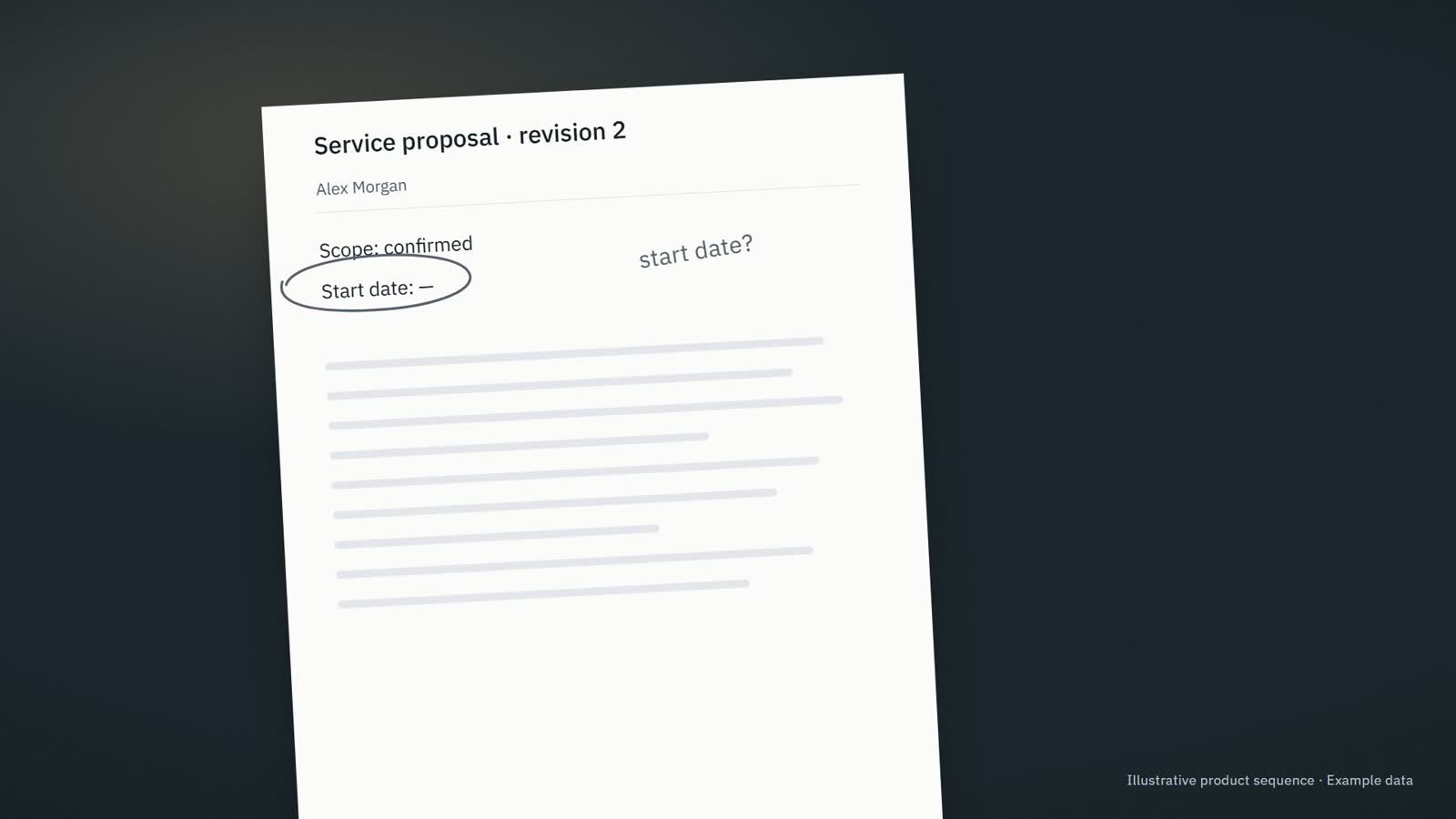
Prepared from this proposal Service proposal · revision 2 Hi Alex, here is the updated proposal. The start date still needs confirmation. I will check with the team before confirming it.
Information needed · The start date has not been agreed.
Company assistance Existing product direction
Our team needs the relevant context and a clear next step for recurring work.
Bring company information into the work, prepare useful responses and make the next step and responsible person clear.
Business operations Founder decisions & capacity Who it fits & where to start + For Owners, operations leaders and small teams whose recurring work is spread across messages, documents, meetings and business tools.
A useful first step Review what needs attention, what is ready and who owns the next step.
Explore CompanyOS ↗ Direction to develop Requested taxonomy direction. No inspected ledger, reconciliation or accounting workflow is represented as implemented.
ArtisanOS For trades and small construction teams
For trades and small construction teams
The job is done. Replies to prepare. Job details to collect. Quotes to follow up. ArtisanOS helps keep the admin moving, while prices, dates and decisions stay with you.
Discuss your incoming requests See a job inquiry handled
We set it up with you and agree who looks after it.
Job inquiry Awaiting information
What arrived · Sam Wilson Hello, we are planning some renovation work. Could we discuss what you would need to prepare a quote?
Information needed ⌖ Site address
▧ Photos of the areas concerned
Draft for review Hi Sam, could you send the site address and a few photos of the areas concerned? That will help us understand the request before discussing the next step.
Not sent. Waiting for your review.
Review reply Save next step
Product illustration · Example data
Company assistance Existing product direction
Une demande client attend une réponse, un devis ou une commande à préparer.
Move one customer request forward with the right information, a prepared response and a clear next step.
Business operations Who it fits & where to start + For Independent tradespeople, small field-service businesses, craftspeople and maker-retailers whose work happens on sites, in workshops or behind a shop counter.
A useful first step Rassembler les informations manquantes et préparer la réponse au client.
Explore ArtisanOS ↗ Visible in inspected source The inspected source supports this scope. Public availability is a separate question.
Total exposure €65,000
Overdue €56,000
Disputed €24,000
Snapshot 28 Apr 2026
Aging priorities INV-1001 Atelier Demo · Sales lead €18,500
INV-1002 Northwind Sample · Finance manager €24,000
INV-1003 Lagoon Demo · Account owner €7,500
INV-1004 Cobalt Test · Admin €1,200
INV-1005 Blue Sample · Shared mailbox €4,800
INV-1006 Recent Demo · Sales €9,000
SELECTED DETAIL INV-1001 Client Atelier Demo
Amount €18,500
Owner Sales lead
Dispute No dispute flagged in the synthetic aging row.
Fixture note High amount overdue more than 30 days.
Evidence Confirm invoice, owner note, due date and client promise before sending anything.
SELECTED DETAIL INV-1002 Client Northwind Sample
Amount €24,000
Owner Finance manager
Dispute Pricing or scope dispute to clarify before collection.
Fixture note Client disputes invoice line.
Evidence Confirm invoice, owner note, due date and client promise before sending anything.
SELECTED DETAIL INV-1003 Client Lagoon Demo
Amount €7,500
Owner Account owner
Dispute No dispute flagged in the synthetic aging row.
Fixture note Medium overdue.
Evidence Confirm invoice, owner note, due date and client promise before sending anything.
SELECTED DETAIL INV-1004 Client Cobalt Test
Amount €1,200
Owner Admin
Dispute No dispute flagged in the synthetic aging row.
Fixture note Low routine follow-up.
Evidence Confirm invoice, owner note, due date and client promise before sending anything.
SELECTED DETAIL INV-1005 Client Blue Sample
Amount €4,800
Owner Shared mailbox
Dispute No dispute flagged in the synthetic aging row.
Fixture note Note is messy but date is valid.
Evidence Confirm invoice, owner note, due date and client promise before sending anything.
SELECTED DETAIL INV-1006 Client Recent Demo
Amount €9,000
Owner Sales
Dispute No dispute flagged in the synthetic aging row.
Fixture note Recent invoice not overdue.
Evidence Confirm invoice, owner note, due date and client promise before sending anything.
Actual Finance Ops template components · source synthetic fixture · local selection and review only
Product / platform Existing contracts & runtime · workflow example available
Budgets, commitments and economic evidence must stay attributable across companies and decisions.
Exact-money financial projections, reviewable plans and governed ledger handoffs.
Money, billing & finance Business operations Adaptable software Who it fits & where to start + For Finance operators, founders and holding or multi-company teams.
A useful first step Exact-money financial projections, reviewable plans and governed ledger handoffs.
Explore FinanceOS ↗
Choose your language × Interface language changes text only. Markets, prices and workflows keep their own settings.
English English Original source Français French Partial translation Deutsch German Partial translation Español Spanish Partial translation Italiano Italian Partial translation Português Portuguese Partial translation Polski Polish Partial translation Nederlands Dutch Partial translation Română Romanian Partial translation Čeština Czech Partial translation Ελληνικά Greek Partial translation Magyar Hungarian Partial translation Svenska Swedish Partial translation Dansk Danish Partial translation Suomi Finnish Partial translation العربية Arabic Partial translation हिन्दी Hindi Partial translation 日本語 Japanese Partial translation 한국어 Korean Partial translation Bahasa Indonesia Indonesian Partial translation Português (Brasil) Portuguese (Brazil) Partial translation Português (Portugal) Portuguese (Portugal) Partial translation Español (México) Spanish (Mexico) Partial translation English (India) English (India) Original source
Translation coverage Original source
Navigation 151
Graph 616
Categories 378
Portfolio 833
Examples 2,035
Source preview 1,542
More translations will be added as content is reviewed.
This preference is saved on this browser.