Vida y trabajo En toda la familia de sitios · Contexto útil · Cámbiala cuando lo necesites.
Find a useful starting point ↗ Change your view Deshacer
LSSM / Capacidades / CAPABILITY / Direction to develop
Orquestación empresarial con IA A company-wide operating-mode direction connecting multiple assistants, roles and workflows.
A requested direction; implementation remains to be evidenced.
Operaciones empresariales ↗ Decisiones y capacidad de los fundadores ↗
Vista Productos y proyectos Capacidades Arquitectura Grafo completo Disposición Red Capas Grupos Buscar una entrada en esta vista Ajustar vista Visualización y filtros Organizar
6 entradas · 14 relaciones documentadas
Profundidad 1 2 Cerrar contexto × Volver a esta página
Las flechas recorren las entradas. Intro selecciona. Alt + flechas reorganiza. F ajusta la vista; Mayús + F centra la selección. + y − amplían. Mayús + F10 abre las acciones.
Operaciones empresariales 2 Datos e inteligencia 1 Productos y desarrollo de software 1 Plataformas y gobernanza compartidas 2 Patio — Patio is LSSM’s specialized holding for shared data, infrastructure, transmission and streams. The central Patio brand organizes these responsibilities across every problem area; specialized brands provide focused interfaces into parts of that scope. Patio AI company orchestration — A company-wide operating-mode direction connecting multiple assistants, roles and workflows. AI company orchestration CompanyOS — A general company workspace and adaptable business foundation. Documents, conversations and prepared work come together around the team’s responsibilities, with sources and review visible. C CompanyOS ContractSpec — ContractSpec powers the whole LSSM ecosystem through specifications, contracts and reusable capabilities. Its role applies across product families, brands and areas. ContractSpec LSSM OS — LSSM OS is the ecosystem operating layer. It composes and uses BrainOS context and intelligence, ContractSpec specifications and reusable capabilities, and Patio shared infrastructure and data beneath the products and experiences that run on it. LSSM OS BrainOS — BrainOS is the cross-ecosystem context and intelligence layer for personal, company and product knowledge. It connects the Company assistance family and the other products and areas while preserving the boundaries of each context. BrainOS − 100% +
Arrastra para desplazar · Ctrl/⌘ + rueda para ampliar
Mover mapa Capacidades ×
AI company orchestration A company-wide operating-mode direction connecting multiple assistants, roles and workflows.
capability:company-orchestrationUna relación documentada no concede acceso a los datos.
relaciones documentadas 5 Buscar relaciones ← BrainOS
Context & intelligence from
Arquitectura declarada Evidencia foundation:foundation:brainos>capability:company-orchestrationfoundation
Dirección: foundation:brainos → capability:company-orchestration
user-foundations-2026-10-28 → CompanyOS
Capability direction
Dirección propuesta Evidencia capability:capability:company-orchestration>brand:companyoscapability
Dirección: capability:company-orchestration → brand:companyos
user-taxonomy-2026-10-28 ← ContractSpec
Powered by
Arquitectura declarada Evidencia foundation:foundation:contractspec>capability:company-orchestrationfoundation
Dirección: foundation:contractspec → capability:company-orchestration
user-foundations-2026-10-28 ← LSSM OS
Operating infrastructure from
Arquitectura declarada Evidencia foundation:foundation:lssm-os>capability:company-orchestrationfoundation
Dirección: foundation:lssm-os → capability:company-orchestration
user-foundations-2026-10-28 ← Patio
Shared infrastructure & data from
Arquitectura declarada Evidencia foundation:family:patio>capability:company-orchestrationfoundation
Dirección: family:patio → capability:company-orchestration
Importación en ejecución sin verificar
user-patio-holding-remit-2026-10-29 Lista accesible de entradas (6) Patio Fundamentos compartidos AI company orchestration Capacidades CompanyOS Productos y experiencias ContractSpec Fundamentos compartidos LSSM OS Fundamentos compartidos BrainOS Fundamentos compartidos EXPERIENCES & COVERAGE
Where this work belongs. The note beside each product identifies the scope of this connection.
Direction to develop The user proposed AI-company scope. This records a direction, not a verified autonomous-company feature or separate launched brand.
CompanyOS Your company’s AI assistant
Your company’s AI assistant
Your business. Prepare replies, find the right document and pick up the follow-up you meant to send. CompanyOS helps with the work around the work, with your team in control.
Discuss your installation See CompanyOS at work
Installed on your infrastructure. Configured with your team.
Pre-production frame · Example data
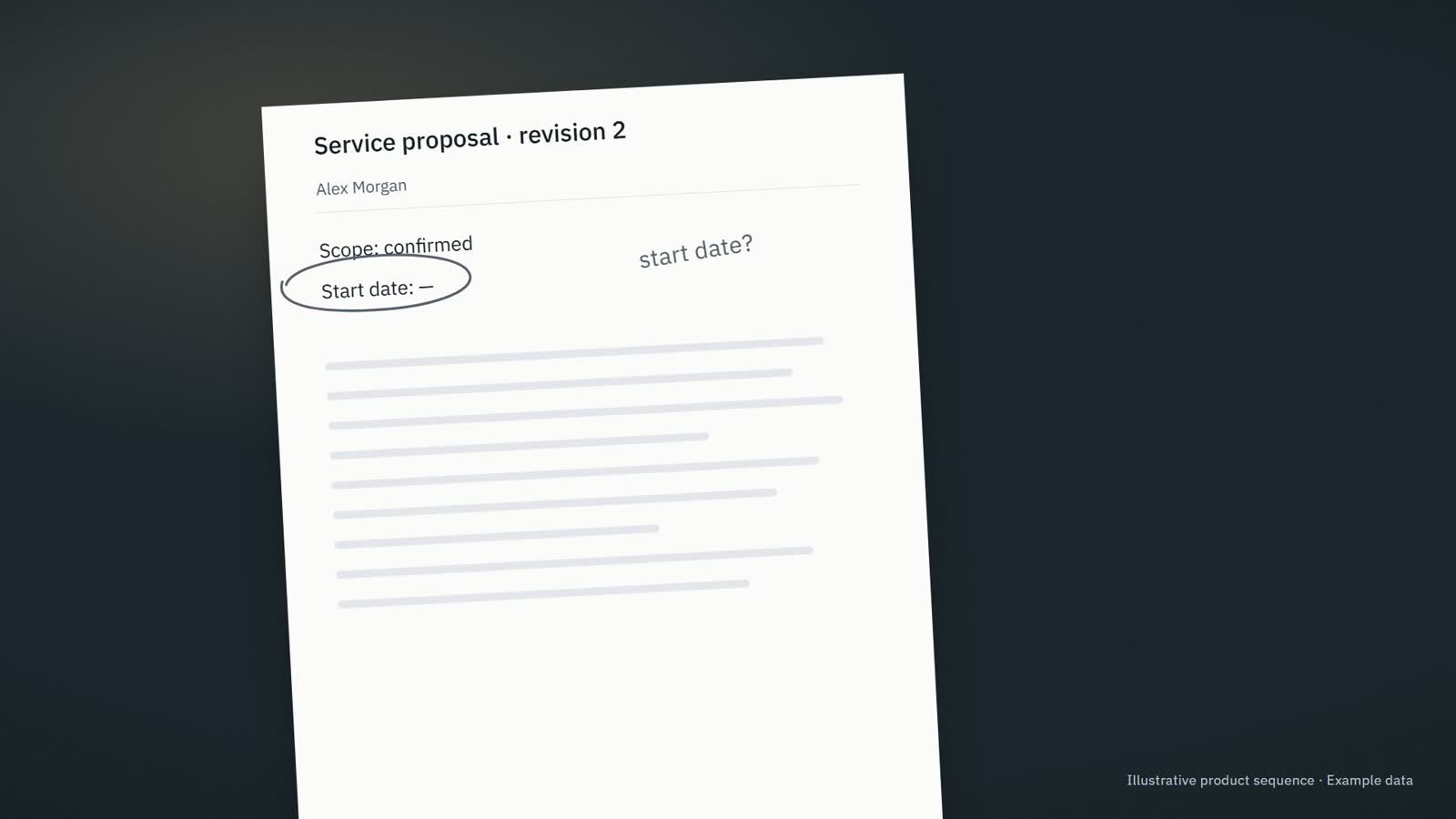
Prepared from this proposal Service proposal · revision 2 Hi Alex, here is the updated proposal. The start date still needs confirmation. I will check with the team before confirming it.
Information needed · The start date has not been agreed.
Asistencia empresarial Existing product direction
Our team needs the relevant context and a clear next step for recurring work.
Bring company information into the work, prepare useful responses and make the next step and responsible person clear.
Operaciones empresariales Decisiones y capacidad de los fundadores Who it fits & where to start + Para Owners, operations leaders and small teams whose recurring work is spread across messages, documents, meetings and business tools.
A useful first step Review what needs attention, what is ready and who owns the next step.
Explore CompanyOS ↗
Elige tu idioma × El idioma de la interfaz solo cambia el texto. Los mercados, precios y flujos de trabajo conservan sus propios ajustes.
English English Fuente original Français French Traducción parcial Deutsch German Traducción parcial Español Spanish Traducción parcial Italiano Italian Traducción parcial Português Portuguese Traducción parcial Polski Polish Traducción parcial Nederlands Dutch Traducción parcial Română Romanian Traducción parcial Čeština Czech Traducción parcial Ελληνικά Greek Traducción parcial Magyar Hungarian Traducción parcial Svenska Swedish Traducción parcial Dansk Danish Traducción parcial Suomi Finnish Traducción parcial العربية Arabic Traducción parcial हिन्दी Hindi Traducción parcial 日本語 Japanese Traducción parcial 한국어 Korean Traducción parcial Bahasa Indonesia Indonesian Traducción parcial Português (Brasil) Portuguese (Brazil) Traducción parcial Português (Portugal) Portuguese (Portugal) Traducción parcial Español (México) Spanish (Mexico) Traducción parcial English (India) English (India) Fuente original
Cobertura de traducción Parte del contenido se muestra en inglés.
Navegación 151
Grafo 616
Categorías 188
Portafolio 332
Ejemplos 2035
Vista previa de la fuente 41
Se añadirán más traducciones a medida que se revise el contenido.
Esta preferencia se guarda en este navegador.