LSSM.

CAPABILITY / Visible in inspected source

Asistencia empresarial

Bring requests, conversations and documents into a prepared next action.

Coverage is recorded per project: inspected source, portfolio scope, or a direction.

CONNECTED ACROSS LSSM

The work, and what surrounds it.

Select an entry to explore its neighbours. Move between ownership, specifications, areas, products, data and infrastructure without leaving this page.

9 entradas · 26 relaciones documentadas

Las flechas recorren las entradas. Intro selecciona. Alt + flechas reorganiza. F ajusta la vista; Mayús + F centra la selección. + y − amplían. Mayús + F10 abre las acciones.

Operaciones empresariales5Datos e inteligencia1Productos y desarrollo desoftware1Plataformas y gobernanza compartidas2Patio — Patio is LSSM’s specialized holding for shared data, infrastructure, transmission and streams. The central Patio brand organizes these responsibilities across every problem area; specialized brands provide focused interfaces into parts of that scope.PatioCompany assistance — Bring requests, conversations and documents into a prepared next action.Company assistanceCompanyOS — A general company workspace and adaptable business foundation. Documents, conversations and prepared work come together around the team’s responsibilities, with sources and review visible.CompanyOSFellowhand — An owner-focused experience for priorities, preparation and next steps. A composed review queue brings attention, missing information and responsibility into one readable view.FellowhandBriefhand — A precise mission workspace that keeps the mandate, supporting material, decisions and next commitments together. Its vocabulary and compact document hierarchy fit expert client work.BriefhandArtisanOS — Demandes clients, devis, commandes et documents : gardez le fil de votre activité avec une aide adaptée à votre façon de travailler. Les profils terrain et atelier gardent chacun leurs mots et leur navigation.ArtisanOSContractSpec — ContractSpec powers the whole LSSM ecosystem through specifications, contracts and reusable capabilities. Its role applies across product families, brands and areas.ContractSpecLSSM OS — LSSM OS is the ecosystem operating layer. It composes and uses BrainOS context and intelligence, ContractSpec specifications and reusable capabilities, and Patio shared infrastructure and data beneath the products and experiences that run on it.LSSM OSBrainOS — BrainOS is the cross-ecosystem context and intelligence layer for personal, company and product knowledge. It connects the Company assistance family and the other products and areas while preserving the boundaries of each context.BrainOS
Lista accesible de entradas (9)
  • Fundamentos compartidos
  • Capacidades
  • Productos y experiencias
  • Productos y experiencias
  • Productos y experiencias
  • Productos y experiencias
  • Fundamentos compartidos
  • Fundamentos compartidos
  • Fundamentos compartidos

EXPERIENCES & COVERAGE

Where this work belongs.

The note beside each product identifies the scope of this connection.

Visible in inspected source

The inspected product surface supports this scope.

CompanyOSYour company’s AI assistant

Your company’s AI assistant

Your business.
Less on your shoulders.

Prepare replies, find the right document and pick up the follow-up you meant to send. CompanyOS helps with the work around the work, with your team in control.

Discuss your installationSee CompanyOS at work

Installed on your infrastructure. Configured with your team.

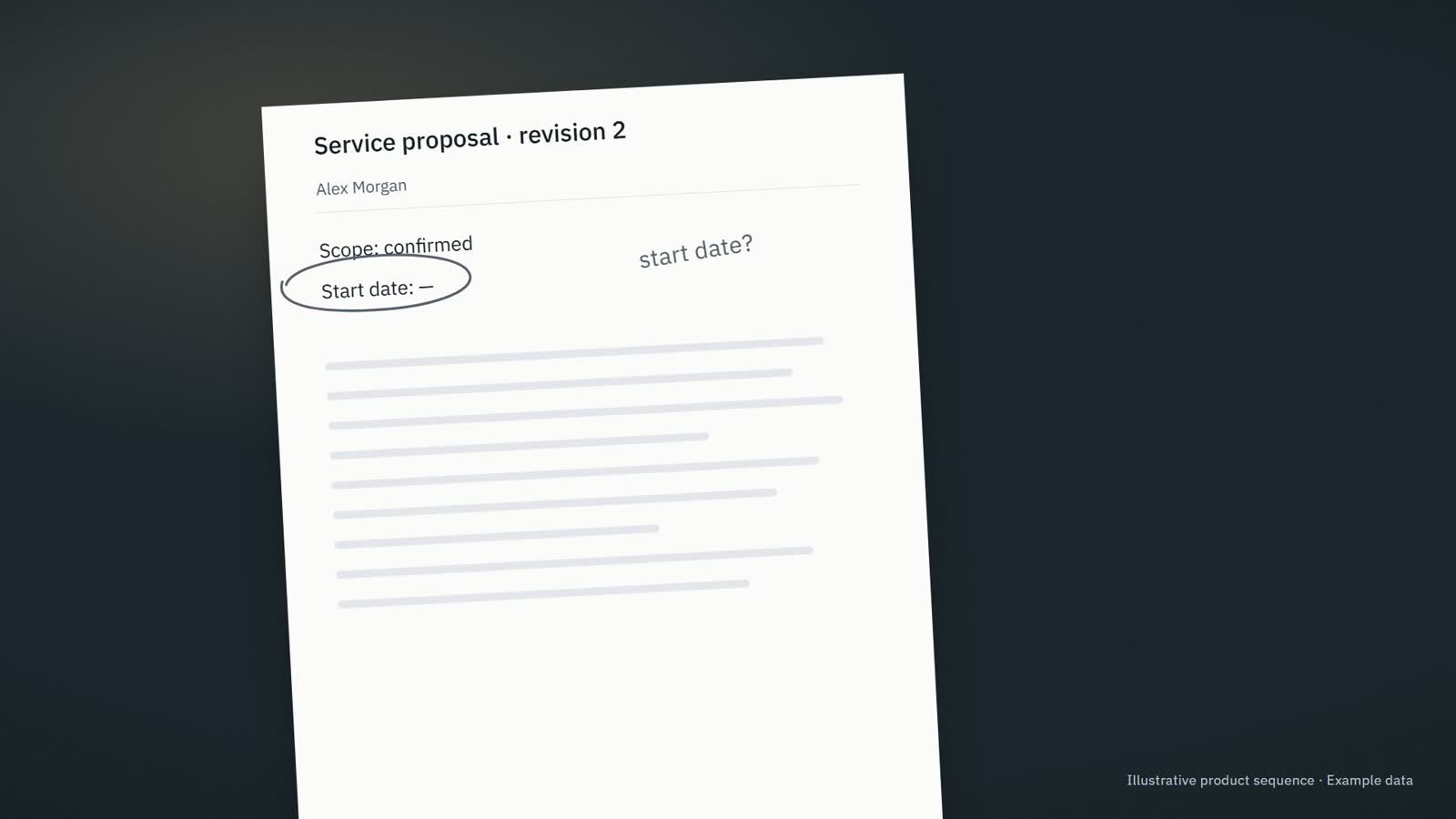
Source campaign still: a printed proposal on a desk with the start date left open

Pre-production frame · Example data

Prepared from this proposalService proposal · revision 2

Hi Alex, here is the updated proposal. The start date still needs confirmation. I will check with the team before confirming it.

Information needed · The start date has not been agreed.

Asistencia empresarialExisting product direction

CompanyOS

Our team needs the relevant context and a clear next step for recurring work.

Bring company information into the work, prepare useful responses and make the next step and responsible person clear.

Who it fits & where to start

Para Owners, operations leaders and small teams whose recurring work is spread across messages, documents, meetings and business tools.

A useful first step Review what needs attention, what is ready and who owns the next step.

Explore CompanyOS
Visible in inspected source

The inspected product surface supports this scope.

FellowhandFor owners and executives

For owners and executives

Lead the business.
Not every follow-up.

The current proposal. The unanswered question. The reply you still owe. Fellowhand gets the context and the next draft ready, so you can focus on the decisions that need you.

Discuss your assistantSee meeting preparation
Source owners campaign photograph of the current service proposal

Pre-production frame · Example data

Meeting preparationClient meeting · 10:30Example data
Current sourceService proposal · revision 2
?

Information needed · The start date has not been agreed.

✓Saved · Next step: Confirm the proposed start date with the project lead.

Asistencia empresarialBrand direction

Fellowhand

I need to review the prepared work and keep the business moving.

Prepare useful business work from company context so the owner can review it and move it forward.

fellowhand.com
Who it fits & where to start

Para Owners and executives in small service businesses whose teams repeatedly need context, prepared replies, meeting preparation and clear responsibility.

A useful first step Review one prepared reply or brief and choose the next action.

Explore Fellowhand
Visible in inspected source

The inspected product surface supports this scope.

BriefhandCompanyOS · marketing contract
Expert Network Mission Control

Run expert-led missions without making the founder the operating system.

CompanyOS gives expert-led service firms a governed mission loop: intake, expert staffing, decision packets, weekly command cycles, human approvals, and evidence.

Run a workflow fit audit

Client quality scales only as far as the founder can coordinate.

Mission knowledge lives in founder memory while experts work across email, spreadsheets, WhatsApp, calls, and documents. The founder keeps collecting, relaunching, consolidating, and interpreting.

Asistencia empresarialBrand direction

Briefhand

I need to turn scattered client context into a brief and a useful decision.

Build an evidence-backed mission brief, decision packet and clear record of responsibilities and commitments.

briefhand.app
Who it fits & where to start

Para Independent experts, fractional CFOs or COOs, operating partners, expert networks and small consulting teams delivering defined client missions.

A useful first step Set the mandate and gather the evidence for the first brief.

Explore Briefhand
Visible in inspected source

The inspected product surface supports this scope.

ArtisanOSFor trades and small construction teams

For trades and small construction teams

The job is done.
The paperwork should not take the evening.

Replies to prepare. Job details to collect. Quotes to follow up. ArtisanOS helps keep the admin moving, while prices, dates and decisions stay with you.

Discuss your incoming requestsSee a job inquiry handled

We set it up with you and agree who looks after it.

Job inquiryAwaiting information
What arrived · Sam Wilson

Hello, we are planning some renovation work. Could we discuss what you would need to prepare a quote?

Information needed

⌖ Site address

▧ Photos of the areas concerned

Draft for review

Hi Sam, could you send the site address and a few photos of the areas concerned? That will help us understand the request before discussing the next step.

Not sent. Waiting for your review.

Review replySave next step

Product illustration · Example data

Asistencia empresarialExisting product direction

ArtisanOS

Une demande client attend une réponse, un devis ou une commande à préparer.

Move one customer request forward with the right information, a prepared response and a clear next step.

Who it fits & where to start

Para Independent tradespeople, small field-service businesses, craftspeople and maker-retailers whose work happens on sites, in workshops or behind a shop counter.

A useful first step Rassembler les informations manquantes et préparer la réponse au client.
Explore ArtisanOS

Related capabilities.

Explore every capability
Tu vista

Make room for your context.

Shape the presentation around this moment. You can change it whenever you need.

Tu contexto

The different parts of you

Choose a starting point

Una mezcla útil de contexto, imágenes y orientación discreta.

Tune each dimension
Each dimension can change independently. Product permissions and available actions stay unchanged.

Support the way you begin and return

Tune your support

Comodidad de lectura

Elige tu idioma

El idioma de la interfaz solo cambia el texto. Los mercados, precios y flujos de trabajo conservan sus propios ajustes.

Cobertura de traducción

Parte del contenido se muestra en inglés.

Navegación151
Grafo616
Categorías188
Portafolio332
Ejemplos2035
Vista previa de la fuente41

Se añadirán más traducciones a medida que se revise el contenido.

Esta preferencia se guarda en este navegador.

Buscar en el sitio web

Puntos de partida útiles

Sin resultados. Prueba una frase más corta, un nombre de operación u otro ámbito de búsqueda.

UN POCO DE ESPACIO PARA EXPLORAR

Encuentra algo que explorar.

Abre una vista detallada en esta página, prueba otra perspectiva o sigue el detalle a su propia página.

Cómo funcionan las vistas previas y los controles
01

Mirar antes de salir

Pasa el cursor por un enlace o enfócalo con Tab para ver una vista previa. Hacer clic en el enlace original o pulsar Intro siempre abre su destino.

02

Mantener el contexto

Entra en la vista previa para explorar sus secciones. Usa Alt + ↓ desde un enlace enfocado para entrar con el teclado. Escape la cierra.

03

Abrir las posibilidades

Las filas desplegables, las perspectivas y los controles destacados revelan más. Tu vista cambia la comodidad de lectura y el contexto que exploras.

Un botón separado para mirar más de cerca

Muestra pequeños botones de vista previa junto a los enlaces donde haya espacio. Toca el ojo para inspeccionar o el enlace para ir directamente. Esta elección permanece en esta pestaña.

No se recoge historial de navegación. El movimiento reducido sigue tu dispositivo y Tu vista.